Game Server Hosting
Minecraft Server Hosting
High-performance Minecraft server hosting powered by high performance AMD and Intel CPUs, NVMe storage, and DDoS protection. Deploy your server instantly with our easy-to-use game server panel.
Configure Your Server
Configure Your Minecraft Server
Select your location and memory allocation to get started
Location:
Central USA
Hardware:
High Performance AMD & Intel
DDoS Protection:
Selected Memory
4GB RAM
Suggested Players
Up to 20 Players
Monthly Price
$12.00
/mo
Player counts are estimates and vary greatly depending on your server configuration. Factors such as installed mod packs, plugins, view distance settings, and world complexity can significantly impact performance. Heavily modded servers may require more RAM for fewer players.
Why ExtraVM
Why Choose ExtraVM for Minecraft Server Hosting
Over a decade of reliable hosting backed by premium hardware and real human support
Hosting Since 2014
ExtraVM has been providing Minecraft server hosting and infrastructure services for over 10 years. We're a registered US company (ExtraVM LLC, Delaware) with a proven track record of reliability and long-term commitment to our customers.
High-Performance Hardware
Every Minecraft server runs on high performance AMD and Intel CPUs with NVMe storage. These CPUs deliver exceptional single-thread performance, which is critical for Minecraft server tick rates and chunk loading speed.
ExtraVM Game Panel
Manage your game servers from our custom built game server control panel. It includes a web console, file manager, file and database backup system, plugin and modpack installer, all accessible from your browser.
In-House Support Team
Our support team is not outsourced. When you open a ticket or start a live chat, you're talking directly to the people who build and maintain the infrastructure. We understand Minecraft hosting and can help with server optimization, mod troubleshooting, and configuration.
Both Editions Supported
Minecraft Java & Bedrock Edition Hosting
We host both Minecraft editions so you can play with friends on any platform
Java Edition
The original PC version of Minecraft with the largest modding community. Java Edition servers support thousands of mods and plugins through platforms like Forge, Fabric, PaperMC, and Spigot. Ideal for modded servers, survival multiplayer (SMP), and custom game modes. Our Java Minecraft server hosting includes one-click modpack installation from CurseForge, Modrinth, and Feed The Beast.
Bedrock Edition
The cross-platform version of Minecraft that runs on Windows 10/11, Xbox, PlayStation, Nintendo Switch, iOS, and Android. Bedrock Edition hosting lets players across all these devices connect to the same server. Perfect for friend groups who play on different platforms and want a shared world to build and explore together.
Supported Software
Supported Minecraft Server Software & Modpacks
One-click installation for popular server types and modpacks. See our Minecraft knowledge base for setup guides.

Vanilla
The original Minecraft experience with no modifications

PaperMC
Optimized servers with plugin support for customization


CurseForge
The most popular modding platform for Minecraft
Feed The Beast
Popular modpacks featuring tech, magic, and adventure


Modrinth
Modern modpack platform with curated content
And Many More
Hundreds of modpacks and server types available
Choosing The Right Plan
Understanding RAM Allocation
Minecraft servers are sold based on RAM allocation. Here's how to choose the right amount for your server.
RAM (memory) is the primary resource that determines how well your Minecraft server performs. The amount you need depends on your server type, player count, and what mods or plugins you're running. More RAM generally allows for more players, larger worlds, and more modifications.
Vanilla Servers
Recommended: 2GB - 4GBStandard Minecraft without modifications runs efficiently and requires the least amount of RAM. A 2GB server works well for small groups of friends, while 4GB handles larger communities comfortably.
- 2GB: Around 10 players
- 3GB: Around 15 players
- 4GB: Around 20 players
Plugin Servers
Recommended: 4GB - 8GBServers running Paper, Spigot, or Purpur with plugins need more resources. The RAM requirement scales with the number and complexity of plugins installed.
- 4GB: Light plugins, around 20 players
- 6GB: Moderate plugins, around 30 players
- 8GB: "A lotta" plugins, around 40 players
Modpack Servers
Recommended: 6GB - 12GBModded servers running Forge or Fabric with modpacks are the most resource-intensive. Large modpacks like All The Mods, RLCraft, or Feed The Beast require more RAM.
- 6GB: Light modpacks (50-100 mods)
- 8GB: Medium modpacks (100-200 mods)
- 10-12GB: Heavy modpacks (200+ mods)
Not sure what you need?
Start with a smaller plan and upgrade later if needed. You can open a support request any time to request an upgrade or downgrade of your plan if your current one doesn't work as needed.
Getting Started
How to Set Up Your Minecraft Server
Get your Minecraft server online in minutes with these simple steps
1
Choose Your Location
Select the server location closest to your players for the lowest latency. We offer Minecraft server hosting in the United States, Europe (Germany), Singapore, and Australia (Sydney).
2
Select Your RAM
Choose a memory allocation based on your player count and server type. Vanilla servers run well on 2-4GB, plugin servers need 4-8GB, and modded servers with large modpacks may need 8GB or more.
3
Complete Your Order
Finish checkout using any of our accepted payment methods including credit card, PayPal, Alipay, or cryptocurrency. Your Minecraft server is deployed instantly after payment.
4
Connect & Play
Log in to our game panel to find your server IP address, or set up a free subdomain (e.g., yourserver.gamedns.net). Add the address in Minecraft's multiplayer menu and start playing with friends.
Server Features
Minecraft Server Hosting Features
Powerful tools and features included with every Minecraft server
Containerized Servers
Each server runs in an isolated container environment ensuring dedicated resources, enhanced security, and consistent performance.
SFTP File Access
Full SFTP access to your server files. Upload worlds, configs, plugins, and mods directly using any SFTP client.
Web Console
Access your server console directly from your browser. Run commands, view logs, and manage your server from anywhere.
Backup Feature
Create and restore server backups instantly, with options to store locally, on our cloud storage, or your own storage!
Mod Pack Installer
One-click installation for popular mod packs including Feed The Beast, Technic, ATLauncher, and CurseForge packs.
Free Subdomain
Get a free subdomain for your server (e.g., yourserver.mcsrv.pro) making it convenient for players to connect.
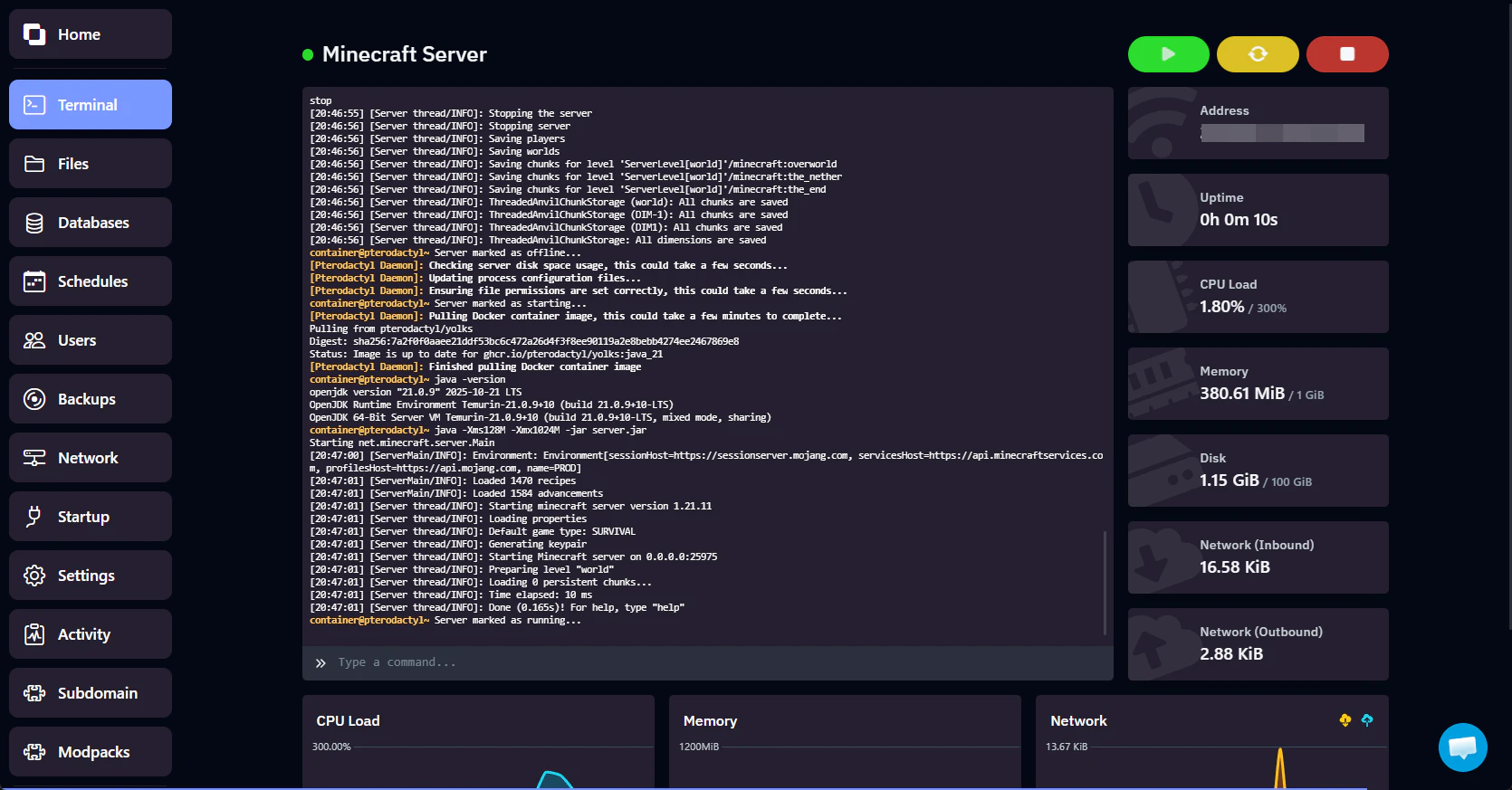
Server Console
Real-time console access to run commands and view server logs.
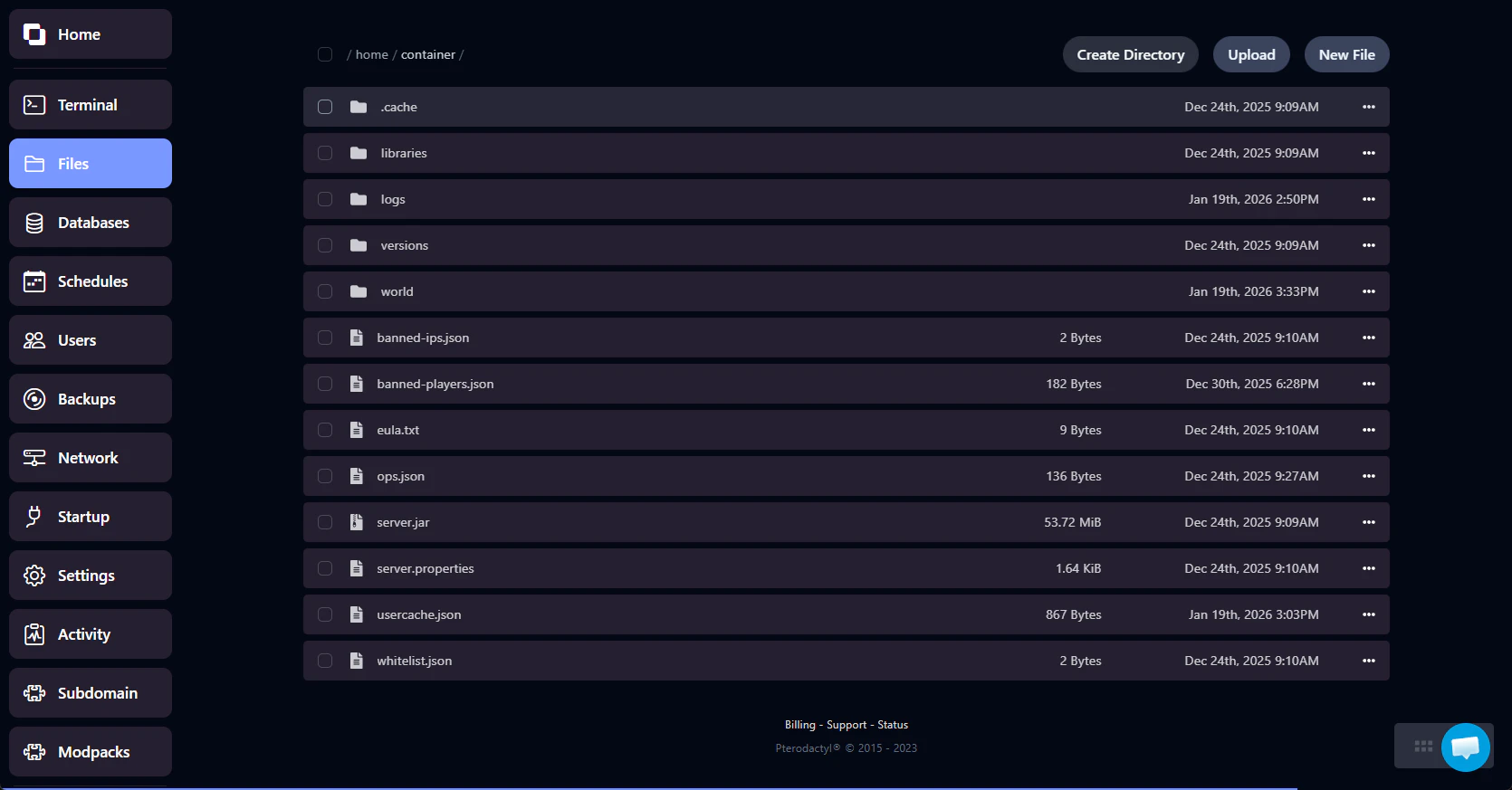
File Manager
Browse, upload, and edit server files directly in your browser.
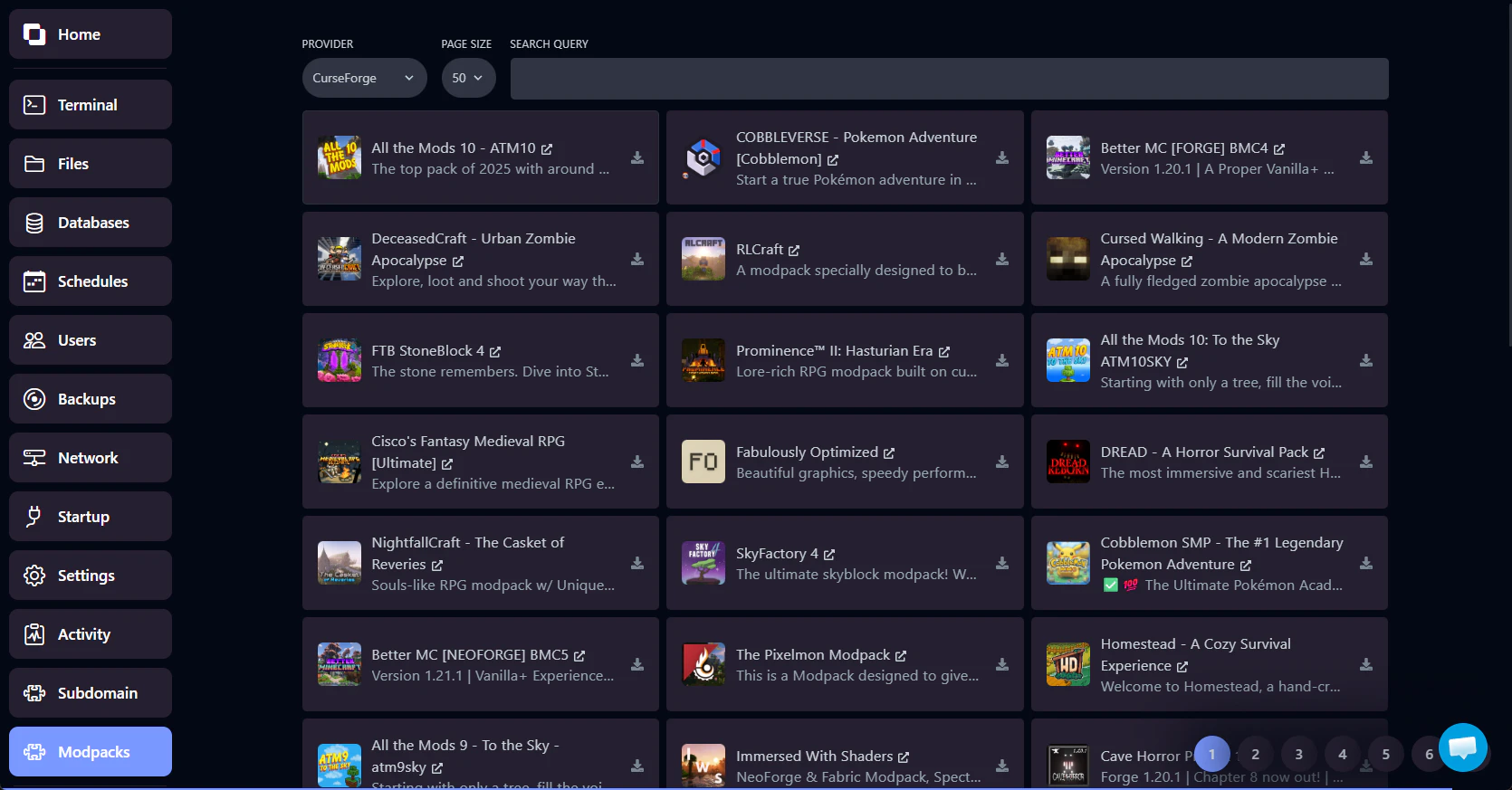
Modpack Installer
One-click installation for hundreds of popular modpacks.
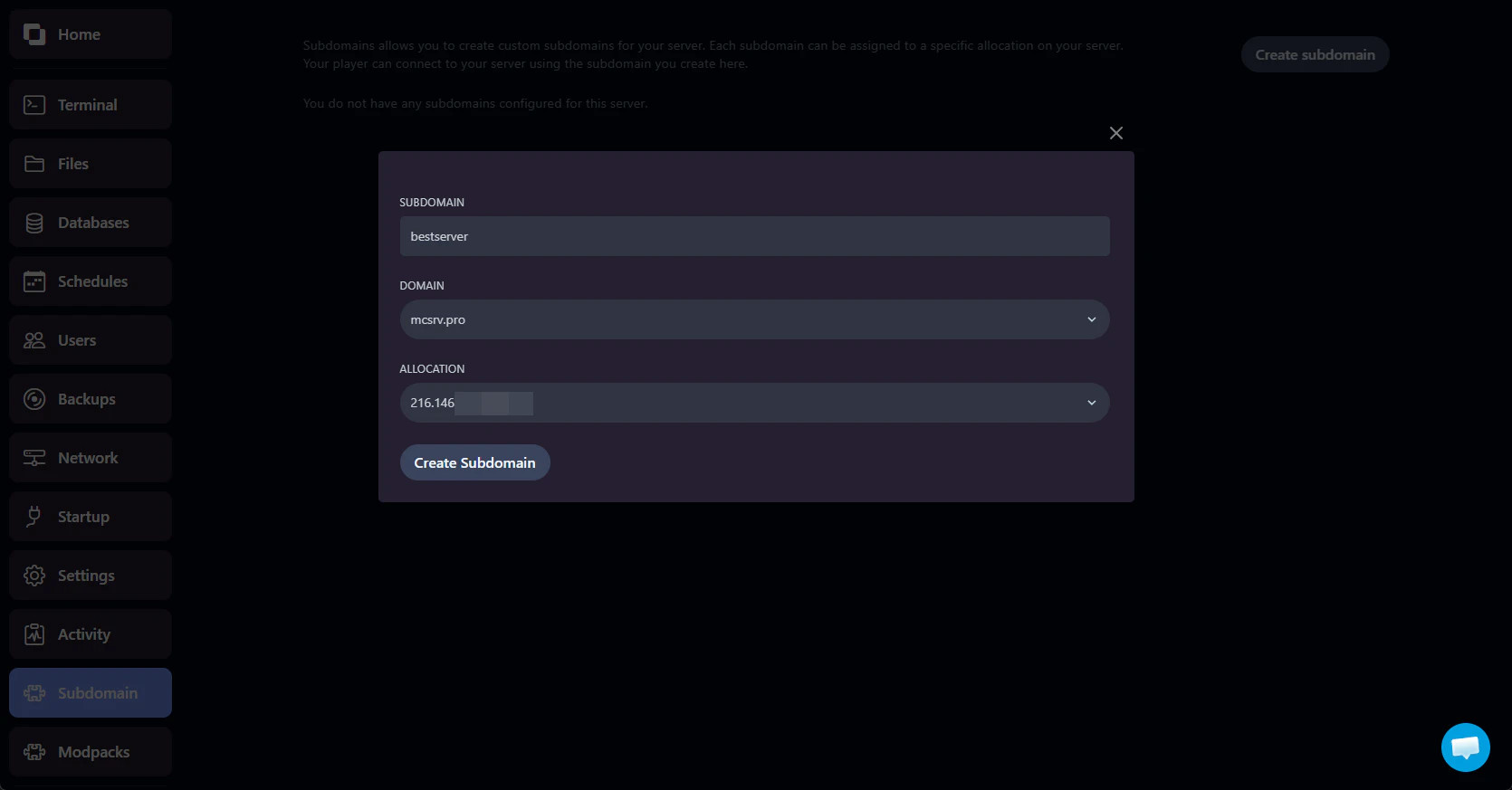
Subdomain Manager
Set up a free subdomain for easy player connections.
Included With Every Server
Premium Minecraft Server Infrastructure
Enterprise-grade hardware and network for the best gaming experience
NVMe Storage
Lightning-fast NVMe SSDs for fast game server startup and world loading
DDoS Protection
Automatic protection against DDoS attacks, keeping your server online
Modern CPUs
High performance AMD and Intel CPUs for high single-thread performance
Instant Setup
Server are deployed instantly after we receive your payment, get online quick
FAQ
Minecraft Server Hosting FAQ
Common questions about our Minecraft server hosting
What server software do you support?
We support Vanilla, PaperMC, Spigot, Purpur, Forge, Fabric, and hundreds of modpacks from CurseForge, Feed The Beast, Modrinth, and ATLauncher. You can install any server software via our one-click installer or upload your own.
How much RAM does my server need?
It depends on your server type. Vanilla servers run well on 2-4GB, plugin servers (Paper/Spigot) need 4-8GB, and modded servers with large modpacks may need 8-12GB or more. Start small and upgrade if needed.
Where are your Minecraft servers located?
We offer Minecraft hosting in the United States, Europe (Germany), Singapore, and Australia (Sydney). Choose the location closest to your players for the best experience.
Do you support Minecraft Java and Bedrock Edition?
Yes, we support both Minecraft Java Edition and Bedrock Edition servers. Java Edition is ideal for modded and plugin-based servers, while Bedrock Edition allows cross-platform play across PC, consoles, and mobile devices.
Can I upgrade my Minecraft server later?
Yes, you can upgrade or downgrade your server at any time. Simply open a support request and we'll adjust your plan. Your world data and server files are preserved during the change.
Can I install mods and plugins?
Yes, you have full access to install any mods, plugins, or modpacks. Use our one-click modpack installer for popular packs, or upload files directly via SFTP or the built-in file manager.
Is DDoS protection included?
Yes, DDoS protection is included at all of our locations (US, Europe, Singapore, and Australia) at no extra cost.
What control panel do you use?
We use a custom build game panel that we made for ours and our clients needs. It includes a web console, file manager, file and database backup system, plugin and modpack installer, all accessible from your browser.
How fast is server setup?
Instant. Your Minecraft server is deployed automatically as soon as payment is received. You'll get access to the game panel immediately and can start configuring your server right away.
Do you offer a money-back guarantee?
Yes, we offer a 5-day money-back guarantee on all Minecraft server plans. Contact support within 5 days of purchase for a full refund (fiat payment methods only).
Ready to start your adventure?
Deploy your Minecraft server today and start playing with friends in minutes.